 Peter Kaizer
Creative Side Projects
Modern CSS for Designers
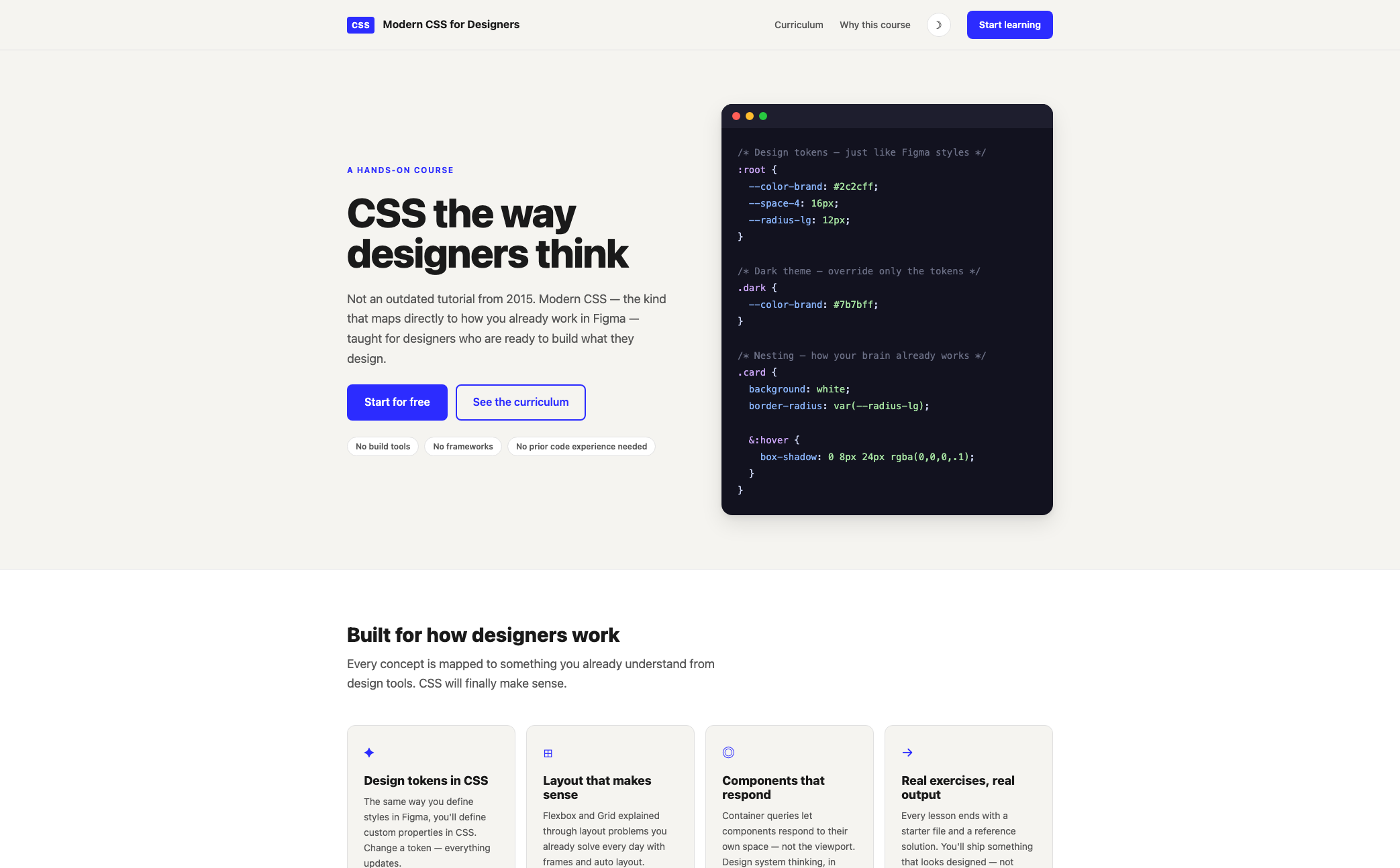
A free, hands-on course that teaches designers real, modern CSS by mapping every concept to the design tools they already know.
The problem
Most CSS tutorials designers stumble into are a decade out of date — float for layout, magic-number spacing, specificity fights solved with !important. They also tend to talk at developers, not designers, skipping past the one thing designers already have: a working mental model of tokens, components, and layout systems from tools like Figma. The result is a steep, unnecessary climb for anyone who already thinks in design terms.
There's also a practical barrier. Most coding courses front-load tooling — package managers, bundlers, framework configuration — before a single visual concept lands. That's friction with no payoff for someone whose goal is to understand CSS, not to become a build-tooling expert.
Approach
Modern CSS for Designers is a free, twelve-lesson course, plus a bonus activity, built entirely around one premise: designers already know this material, just under different names. Auto Layout is Flexbox. Figma Variables are Custom Properties. Components map to reusable, nested CSS classes. Every lesson introduces a CSS concept through its design-tool equivalent first, then moves into real code.
The technical constraint mirrors the pedagogical one: zero build tools, zero frameworks, zero npm. Clone the repo, open an HTML file in a browser, and start editing. There's nothing standing between a learner and the concept.
Each lesson follows the same three-part structure — a README.md explaining the concept with visual examples, a starter/ file with exercises embedded as HTML comments, and a solution/ file to check against. The repetition of that structure is deliberate: once a learner knows the shape of a lesson, they can spend their attention on the material instead of re-orienting each time.
Curriculum
The course runs from HTML foundations through a final design-system project:
- Foundations — semantic HTML, selectors, the box model, the cascade
- Custom Properties — design tokens in CSS, theming, dynamic values
- Layout — Flexbox for one dimension, Grid for two, container queries for components that respond to their own space instead of the viewport
- Architecture — Cascade Layers for specificity, CSS Nesting for writing selectors the way designers already group things visually
- Modern selectors —
:has(),:is(),:where(), and logical grouping - Motion — animations and transitions that respect
prefers-reduced-motion - Final project — a complete design-system component library, built from scratch
- Bonus — a printable HTML résumé, as a capstone that ties every concept together in something learners can actually use
A companion table throughout the course sets the old way against the modern one — float: left versus Flexbox/Grid, repeated color values versus Custom Properties, media-query-only responsiveness versus Container Queries — so learners understand not just the syntax but why the modern approach replaced it.
Outcome
The course ships as a public GitHub repository with a marketing site explaining the premise up front: no build tools, no frameworks, no prior code experience required. Learners clone the repo, open it in VS Code, and work through lessons at their own pace, checking their work against reference solutions whenever they get stuck. The bonus résumé project gives every learner a real, deployable artifact at the end — proof the concepts stuck, not just a certificate saying they did.